The render your
client can't tell
isn't a photo.
Upload your SketchUp or Archicad print. Choose your lighting. Get a photorealistic AI interior render in under 30 seconds — faithful to every material, every proportion, every detail you designed.
 SketchUp
 Revit
Revit Rhino
Rhino Blender
 ArchiCAD

How it
works
Four steps from raw model to a render indistinguishable from professional photography. No plugins. No 3D file conversion. Just an image upload and a description.
Upload your SketchUp print
Screenshot or export from any modelling tool. We work from the image — no file conversion needed.
Choose your lighting preset
Sheer curtain, blinds, golden hour, blue hour, bathroom washed light. Your project, your conditions.
Add material specifics
Tell us exactly what's in the scene. Quartzite countertop, linen wallpaper, white plasterboard ceiling. We preserve it.
Get a photorealistic render
Indistinguishable from a DSLR photograph. 4K output, faithful geometry, no hallucinated furniture.
See it in action
Watch how to go from a SketchUp model to a photorealistic render in under five minutes.
Try Maquete on a real project.
Sign up free, upload a SketchUp or Archicad print, and have your first photorealistic render in under 30 seconds.
START FREE →Real projects from Krepischi
See how São Paulo studio Krepischi is using Maquete to bring their SketchUp designs to life. Every render below started as a model print.


Bathroom — Backlit Mirror
Krepischi · São Paulo
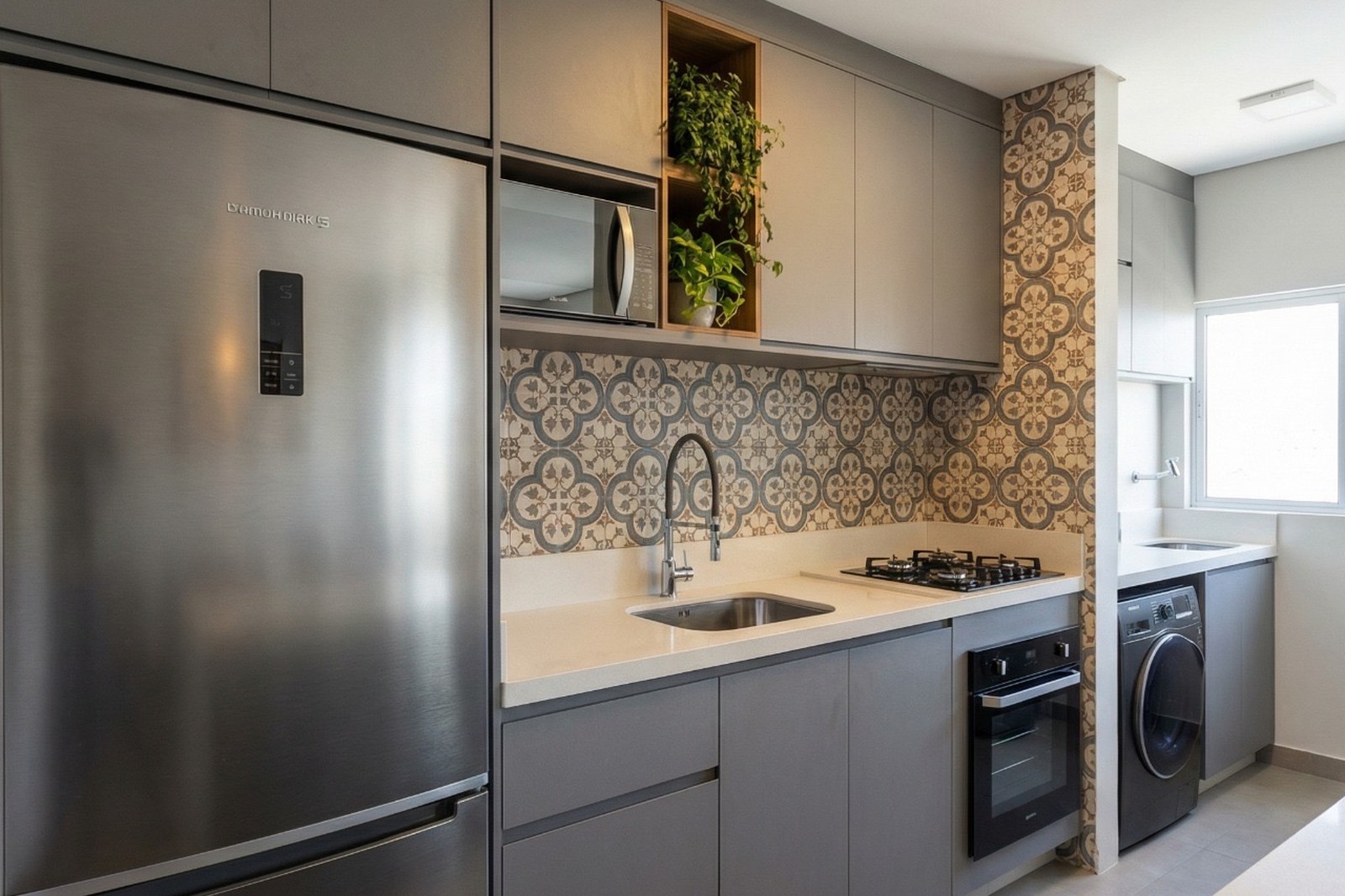
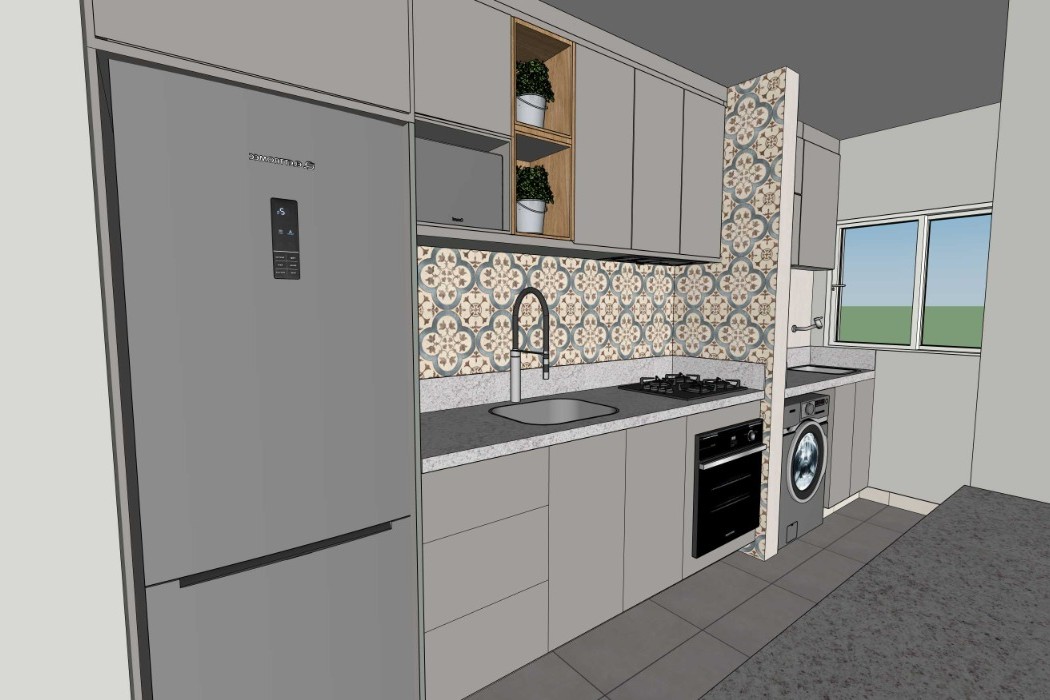
Kitchen — Moroccan Tile
Krepischi · São Paulo


Open Plan Living
Krepischi · São Paulo


Teen Bedroom
Krepischi · São Paulo
Trusted by architects
who demand precision.
I really like how easy Maquete is to use, especially the Fast Render option. It really makes the image more realistic.
Raissa
Architect
I'm using it and found it very practical to use. The image quality is excellent, and it's really fast.

Leila Brina
Architect · Krepischi Lar e Construção
Maquete.ai has really helped us with project renders. It generates room images in no time, and clients can visualise the space with the finishes applied.

Gisele Amorin
Architect · Krepischi Lar e Construção
I found the render fantastic, very realistic and very easy to use. It will really help with sales.
Adriana Carmonatti
Architect · Krepischi Lar e Construção
Built by architects
for architects
Fidelity-first
We never reinterpret your design. Geometry, materials, camera angle — all preserved exactly as drawn.
Lighting precision
15+ lighting presets engineered for interior photography: golden hour, blue hour, sheer curtain, blinds and more.
Material specificity
Name your materials. We render them. From Portobello ceramic tile to Perla Santana quartzite, polished finish.
AI videos
Turn a still render into a cinematic video walkthrough — dolly-in, diagonal tracking, motion blur. Bring your spaces to life.
Learn more →Humanise the space
Add motion-blurred figures, water running from taps, a child jumping on a bed. Architecture that feels lived in.
Projects & sharing
Organise renders into projects, share with clients via a public link, collect feedback inline. No accounts required for reviewers.
Learn more →Render directly
inside SketchUp.
No exports, no uploads, no file conversion. Our native SketchUp plugin lets you render your current viewport in one click — without leaving your modelling environment.
Choose lighting, materials, and quality. Hit render. Get a photorealistic image in seconds. Every camera angle, every detail, exactly as you designed it.
TRY THE PLUGIN →Maquete panel inside SketchUp
Stop selling drawings. Start selling spaces.
Architects, interior designers, and showroom teams use Maquete to win clients with photorealistic renders — no learning curve, no waiting hours.
GET STARTED →Other tools guess.
We follow
instructions.
Generic AI render tools hallucinate furniture, shift materials, and reinterpret your design. Maquete is built on a different principle: fidelity first, always.
Our rendering methodology was developed by licensed architects, and refined on real client projects. Every lighting preset, every material instruction, every fix — refined on real projects.
Simple pricing,
no surprises.
60 credits / mo
- ✓No watermark
- +Up to 2K resolution
- +Resets every billing cycle
- +1 user
200 credits / mo
- ✓No watermark
- +Up to 4K resolution
- +Resets every billing cycle
- +1 user
800 credits / mo
- ✓No watermark
- +Up to 4K resolution
- +Up to 3 users
- +Dedicated account manager
Not happy with a render? Paid plans include 2 free regenerations per render; Free includes 1.
Your next render
starts here.
Upload your SketchUp print, pick a lighting scenario, and get a photorealistic render in seconds.
GET STARTED →FAQ
Frequently asked questions
What file formats do you accept?+
We accept any image export from your 3D modelling tool — PNG, JPG, or TIFF. Upload a SketchUp viewport capture, a Revit export, or any clean architectural plan. If you use SketchUp, our native plugin renders directly from your current viewport.
How long does a render take?+
Most renders complete in around 30 seconds. Complex scenes with high detail may take slightly longer, but you'll never wait more than a minute.
Do you preserve my geometry?+
Yes. Our prompts are engineered specifically for architectural fidelity. Walls, openings, proportions, and structural elements are preserved exactly as you designed them.
Can I use renders commercially?+
Absolutely. All renders generated from your content are yours to use commercially without restriction — client presentations, competition entries, marketing materials, whatever you need.
What if a render doesn't look right?+
Every render includes up to two free regenerations at no extra cost. If the result isn't what you expected, regenerate with different parameters and see if the next one nails it.