Veras alternative
A Veras AI alternative for geometry-conscious rendering
Maquete is an alternative for architects who want a guided SketchUp-to-render workflow, fewer prompt decisions, and an explicit focus on keeping the visible design consistent. Typical 4K stills complete in about 30 seconds. Free 7-day trial.
Reviewed 18 August 2026
Why an architect might choose Maquete over Veras
A more guided workflow
Veras exposes prompts, a geometry-override control, render selections, reference images, and other creative controls. Maquete deliberately hides most model and prompt choices behind architectural presets. Choose based on how much direct generative control you want.
Design continuity is the priority
Generative rendering can add, omit, or shift visible details. Maquete’s pipeline is tuned to reduce that drift and checks the output against the source view. It is still generative AI, so walls, openings, fixed furniture, camera, and proportions should be reviewed before approval.
Structured material directions
Maquete lets you name materials directly, such as wenge veneer or brushed brass. Veras supports prompt-led material changes and reference images. The better approach depends on whether you prefer structured fields or direct creative prompting.
15+ named lighting presets
Golden hour, blue hour, overcast, midday sun — Maquete exposes these as one-click presets rather than prompt parameters. You get consistent, repeatable results across a project without rewriting prompts.
A built-in review step
Maquete projects include public share links and inline comments, so the generated image can move directly into client review. If your practice already has a review system, this may matter less than Veras’s broader native-app coverage.
Inspect a real Maquete input and output
This disclosed pair is evidence of Maquete’s workflow, not a head-to-head test against Veras. Compare the camera, openings, fixed elements, and proportions for yourself.
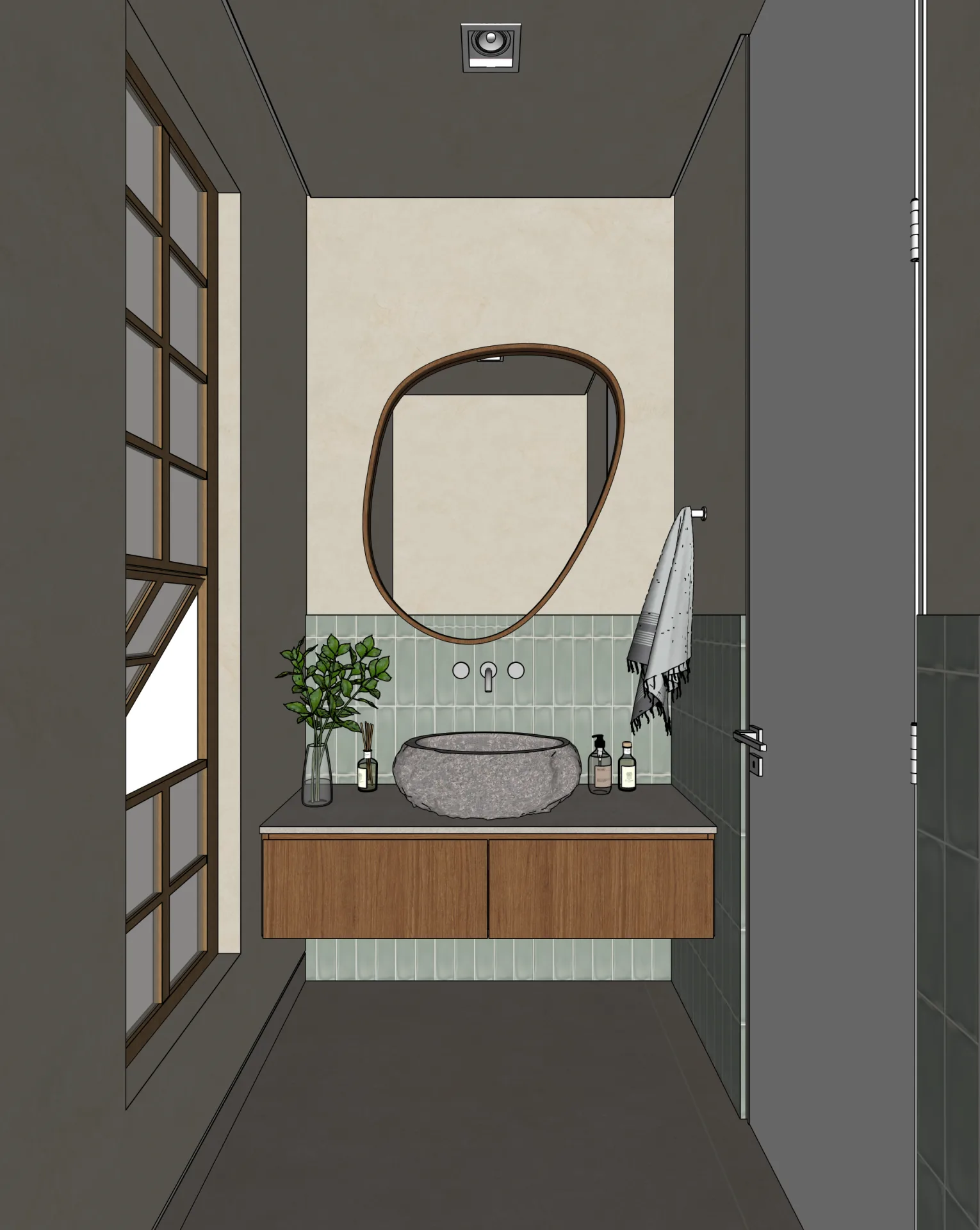
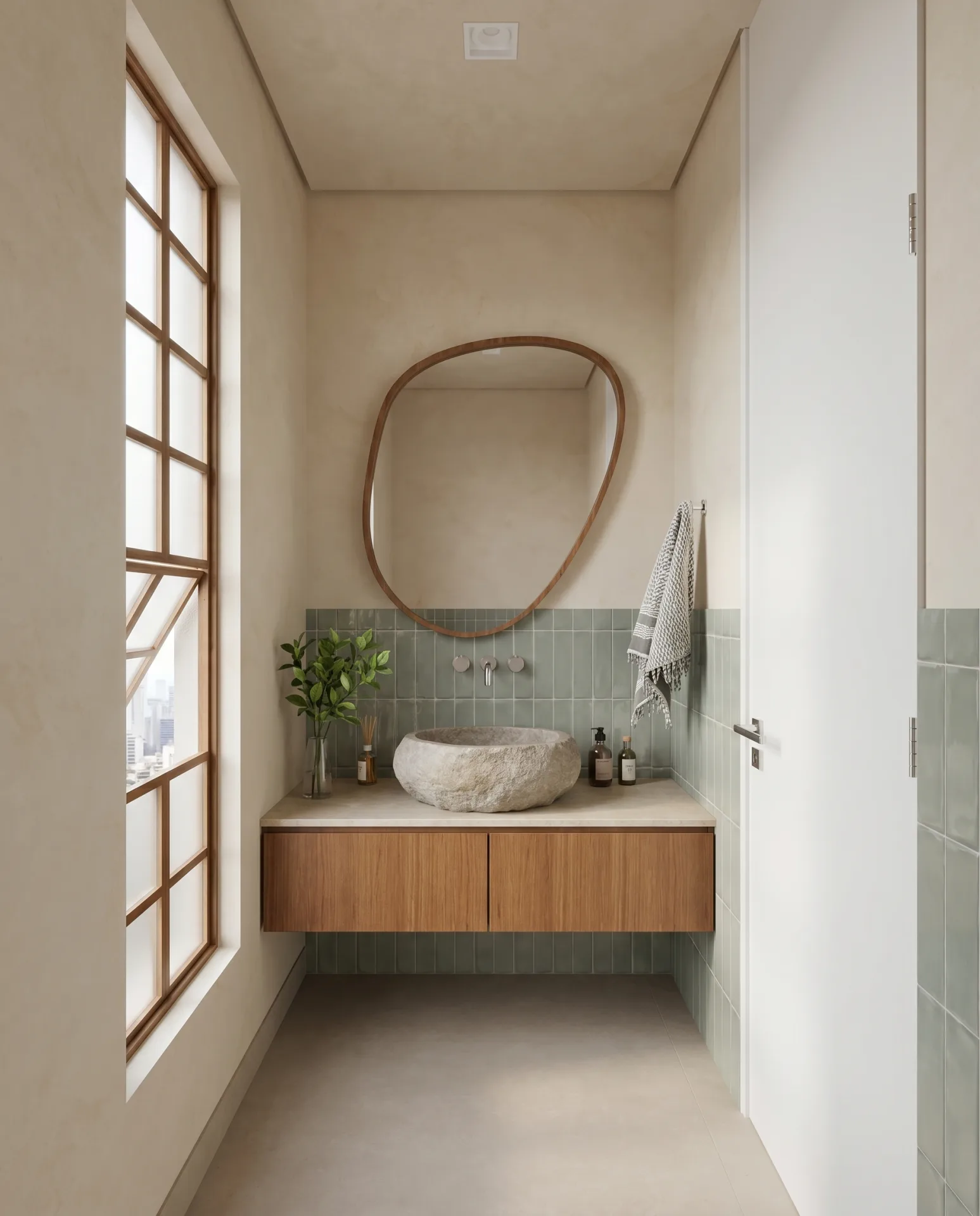
Generative results can still change or invent details. The source model and drawings remain authoritative.
Maquete vs Veras at a glance
| Maquete | Veras | |
|---|---|---|
| Workflow controls | Guided presets; model choice automated | Prompts, geometry override, selections, references |
| Geometry continuity | Pipeline tuned to reduce visible drift | User-adjustable geometry override |
| SketchUp plugin | Native one-click render | Native plugin |
| Typical Maquete still | About 30 seconds per 4K | Varies by workflow and service load |
| Lighting control | 15+ named presets | Prompt-controlled |
| Material direction | Structured material fields | Prompts + reference images |
| Client review | Share links + inline feedback | Use your preferred downstream workflow |
| Native app breadth | SketchUp plugin + image upload | SketchUp, Revit, Rhino, Forma, Archicad, Vectorworks + web |
| Listed price checked 18 Aug 2026 | Free trial; paid from $9/mo | Starter from $16.90/mo annual; Pro $29/mo annual |
Need the full breakdown? See the detailed Maquete vs Veras comparison
Current Veras facts were checked against EvolveLAB’s official product and release pages.
When Veras is still the right choice
Veras is a strong choice when you want direct creative controls, reference-image workflows, render selections, or a native integration beyond SketchUp. Its current product page lists SketchUp, Revit, Rhino, Forma, Archicad, Vectorworks, and a web app.
Maquete is a stronger fit when you want a simpler briefing, named presets, an explicit design-continuity check, and client review links. Test both on the same representative model before changing a production workflow.
Frequently asked questions
Is Maquete a good alternative to Veras?
It can be, especially for SketchUp users who prefer guided presets, automated model selection, design-continuity checks, and built-in client review. Veras is likely the better fit when you want more direct generative controls or one of its broader native-app integrations.
What is the main difference between Maquete and Veras?
Maquete provides a more guided workflow and tunes its pipeline to reduce visible design drift. Veras exposes more creative control through prompts, geometry override, selections, and reference images. Both generate probabilistic images that should be checked against the source model.
Does Maquete have a SketchUp plugin like Veras?
Yes. Maquete has a native SketchUp plugin that renders directly from your active viewport in one click — the same workflow as Veras. Maquete also accepts image uploads from Revit, Rhino, Archicad, and Blender.
What is the Veras AI price, and how does Maquete compare?
On 18 August 2026, the official Veras page listed Starter from $16.90 per month billed annually and Pro at $29 per month billed annually. Maquete has a 7-day Pro trial and paid plans from $9 per month. Verify both checkouts before buying because billing options and bundles can change.
Can I use Maquete on a Mac?
Yes. Maquete is fully browser-based and works on Mac, Windows, Linux, and iPad. Veras also supports Mac via its plugin. Both tools are cross-platform.
Render the design you actually drew.
Free 7-day trial. No prompt engineering. Compare every result with your source model.
Start free trial