Maquete helps architecture teams turn model views into presentation images, organize them by project and collect client feedback. The strongest workflow starts with an agreed source model and visual brief, then assigns a person to review generated results before they reach the client.
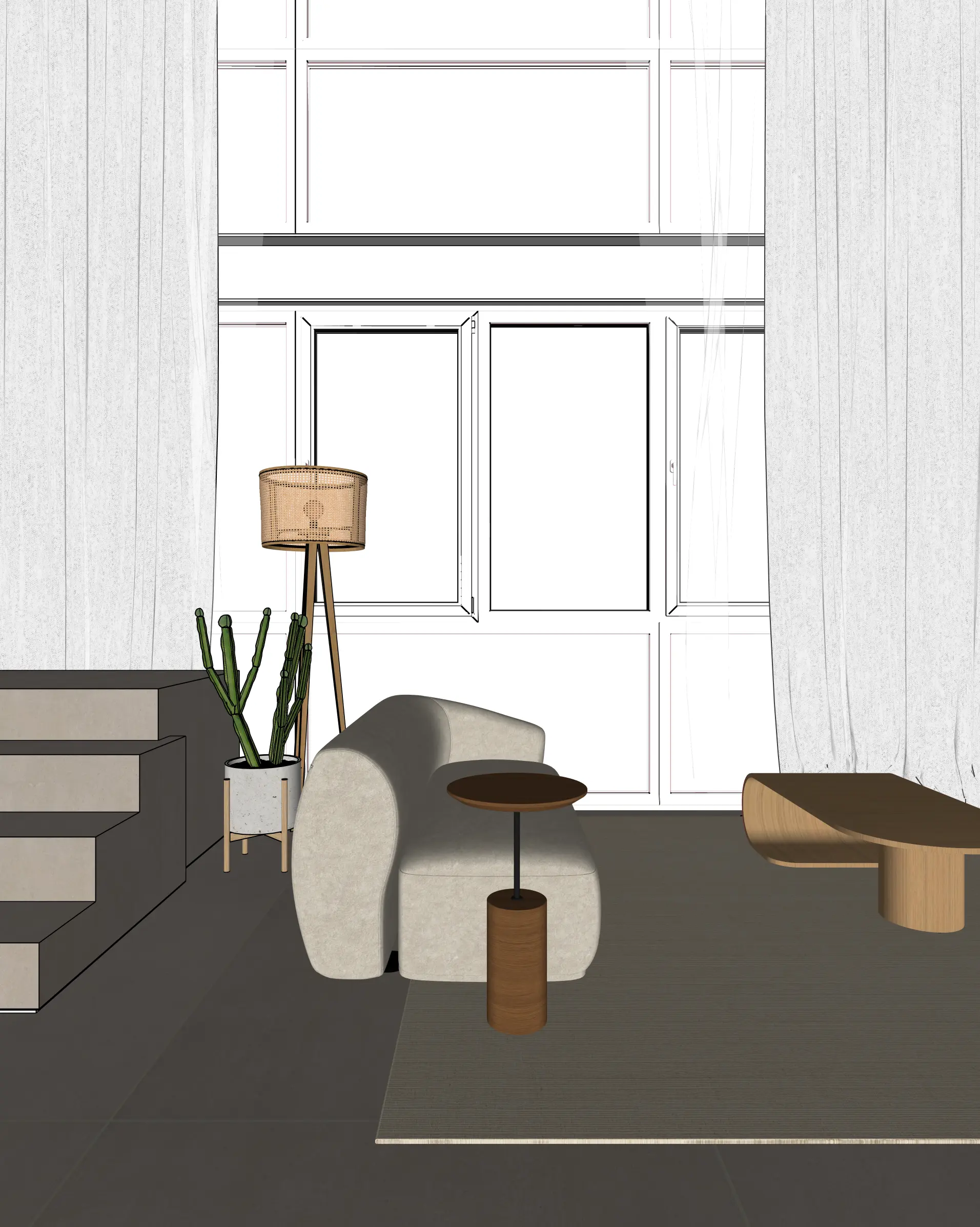
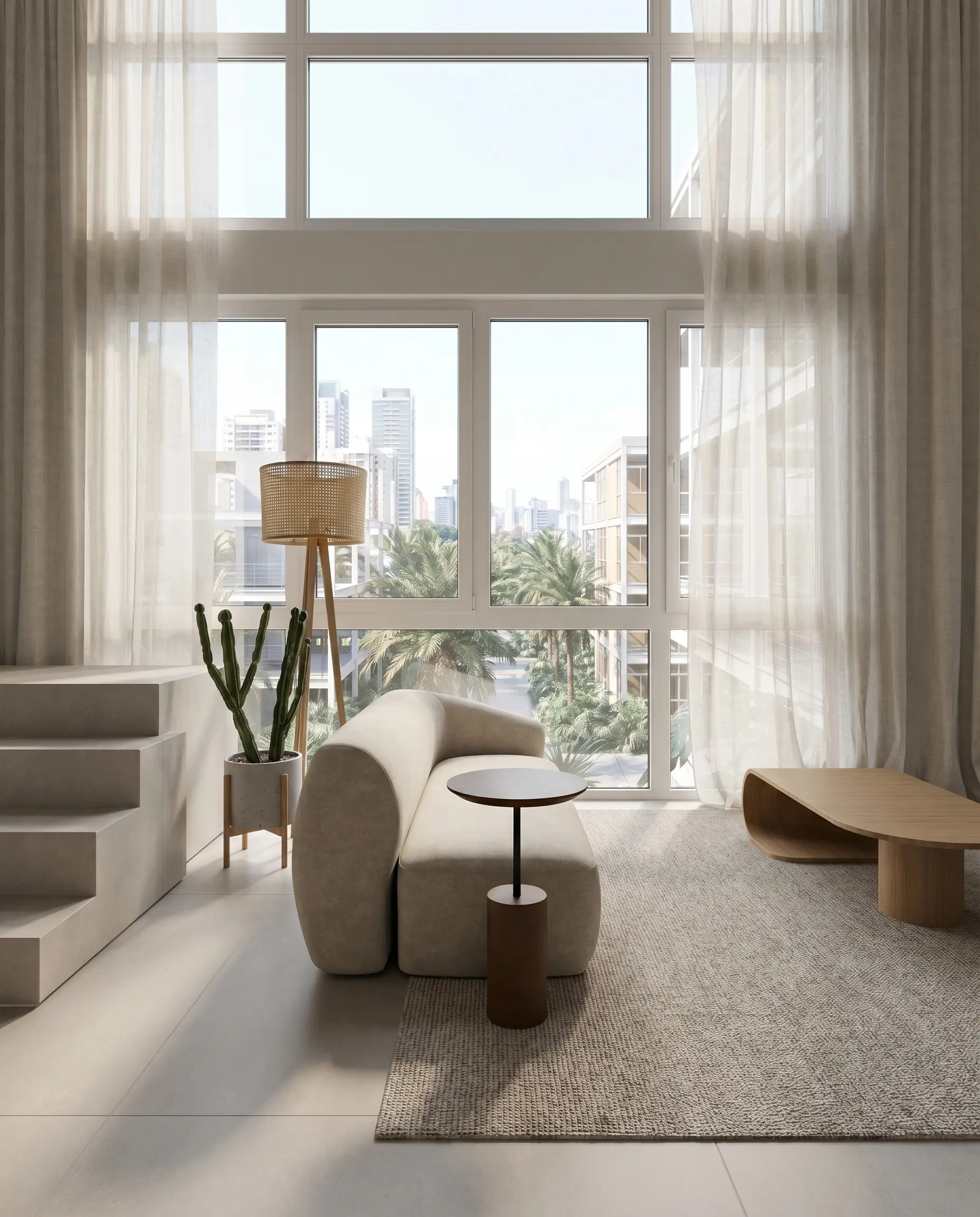
These public demonstration images show a source-to-render workflow. They are not a customer productivity study. Compare openings, built-in elements and material boundaries before judging the finish.
Give each project a shared visual brief
Record the model revision, scene names, intended material finishes, lighting direction and output purpose before generating. Use an approved reference image where available. A shared brief gives colleagues a consistent starting point; it does not make different AI outputs automatically identical.
Keep design changes in the modelling application. If one colleague changes a window while another continues rendering an older source, a polished presentation can hide the discrepancy. Assign one owner to approve the source revision.
Separate generation from approval
| Stage | Team responsibility | What to retain |
|---|---|---|
| Source preparation | Confirm the model and named views | Model revision and captured views |
| Visual exploration | Produce a small set of purposeful options | Lighting and material brief |
| Architectural review | Compare output with the source | Notes on openings, layout, materials and corrections |
| Client presentation | Explain what is being reviewed | Approved images and design revision |
| Follow-up | Consolidate feedback before another round | Decisions and the next approved source |
Maquete’s project workflow keeps related images together and supports sharing for feedback. Before sending a link, inspect its contents and ensure only the intended project material is included. Decide who will consolidate comments so that conflicting requests become one clear next brief.
Choose a format for the decision
Use stills to compare finishes or camera compositions. Add a panorama when a client should inspect the surroundings from a fixed viewpoint. Add a short architectural video when a directed sequence helps explain the atmosphere. Use the model and drawings for measurements, circulation checks and technical decisions.
Evaluate on your own project
Run a small pilot using a representative room and exterior. Record active preparation time, waiting time, number of paid operations, corrections and final approval effort. Compare the full process with your current workflow. Do not compare only the AI generation time with the entire traditional rendering process.
The public Apartment LNC case study offers a project example. It does not establish a universal time saving. A firm’s result depends on model quality, required accuracy, revision demands and how its reviewers work.
Plans, team access and output costs
Review current seat allowances and sharing options on the pricing page before inviting colleagues. Credits depend on the operation: a standard still, a 4K still, a panorama and a video use different amounts. Include likely revisions in a pilot budget rather than treating a credit as one finished client deliverable.
Is this a replacement for the firm’s renderer?
It can support fast visual exploration and presentation from model images. Keep a model-based renderer available where exact scene geometry, measured camera paths or repeatable physical-lighting output are required. Select the workflow per deliverable, rather than treating every rendering task as the same problem.
Book a workflow discussion, see supported design tools, or start with the geometry review checklist.