Enscape alternative
Enscape alternative for architects who need fast AI renders, not more GPU setup
Enscape is excellent for live walkthroughs. Maquete is for the moment before or after that: fast client-ready stills from SketchUp, 4K output in ~30 seconds, no local rendering workstation and no scene setup.
Quick answer
Choose Maquete when you want fast, faithful architectural stills from an existing model view. Choose the alternative when its specialist strength matters more than geometry preservation, SketchUp speed, or client-ready iteration.
Why architects switch from Enscape to Maquete
Enscape AI render alternative for client stills
If the job is a polished still for a client email, planning note, or early material review, Maquete is faster than building a full Enscape scene. Capture your SketchUp view, choose the brief, and receive a 4K AI render in about 30 seconds.
No local GPU setup
Enscape is built around real-time GPU rendering. It supports Windows and Apple-silicon Macs, but still depends on compatible local hardware and drivers. Maquete renders in the cloud, so a MacBook, iPad, or basic office laptop can produce the same output.
Better for async client review
Enscape shines in live meetings. Maquete shines when the client is not in the room: share links, clean galleries, and inline feedback keep review rounds out of email threads.
SketchUp plugin without scene dressing
Both tools support SketchUp, but the workflow is different. Enscape asks you to dress a real-time scene. Maquete reads the viewport and brief, then handles lighting, material realism, atmosphere, and render polish through AI.
A real input and output
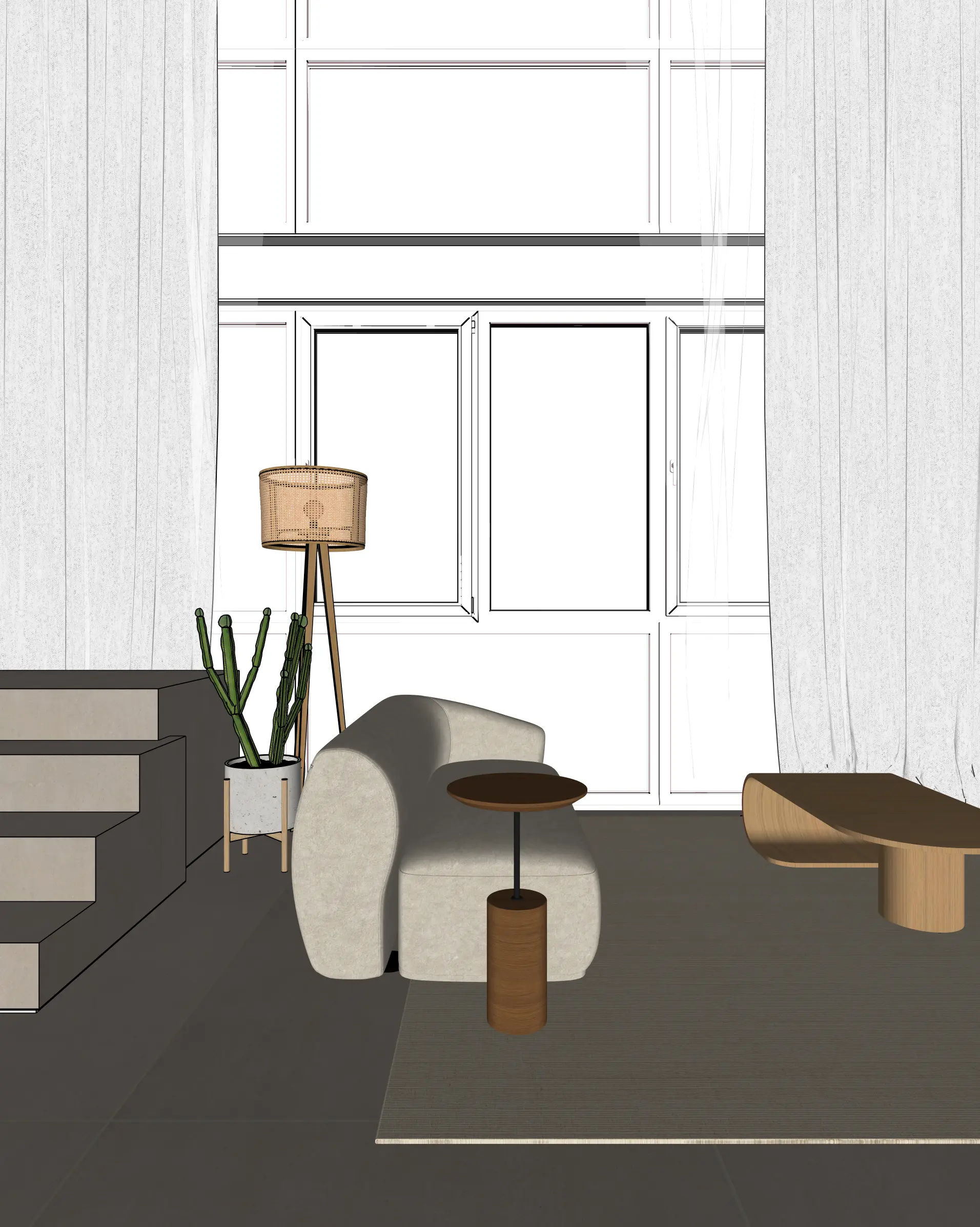
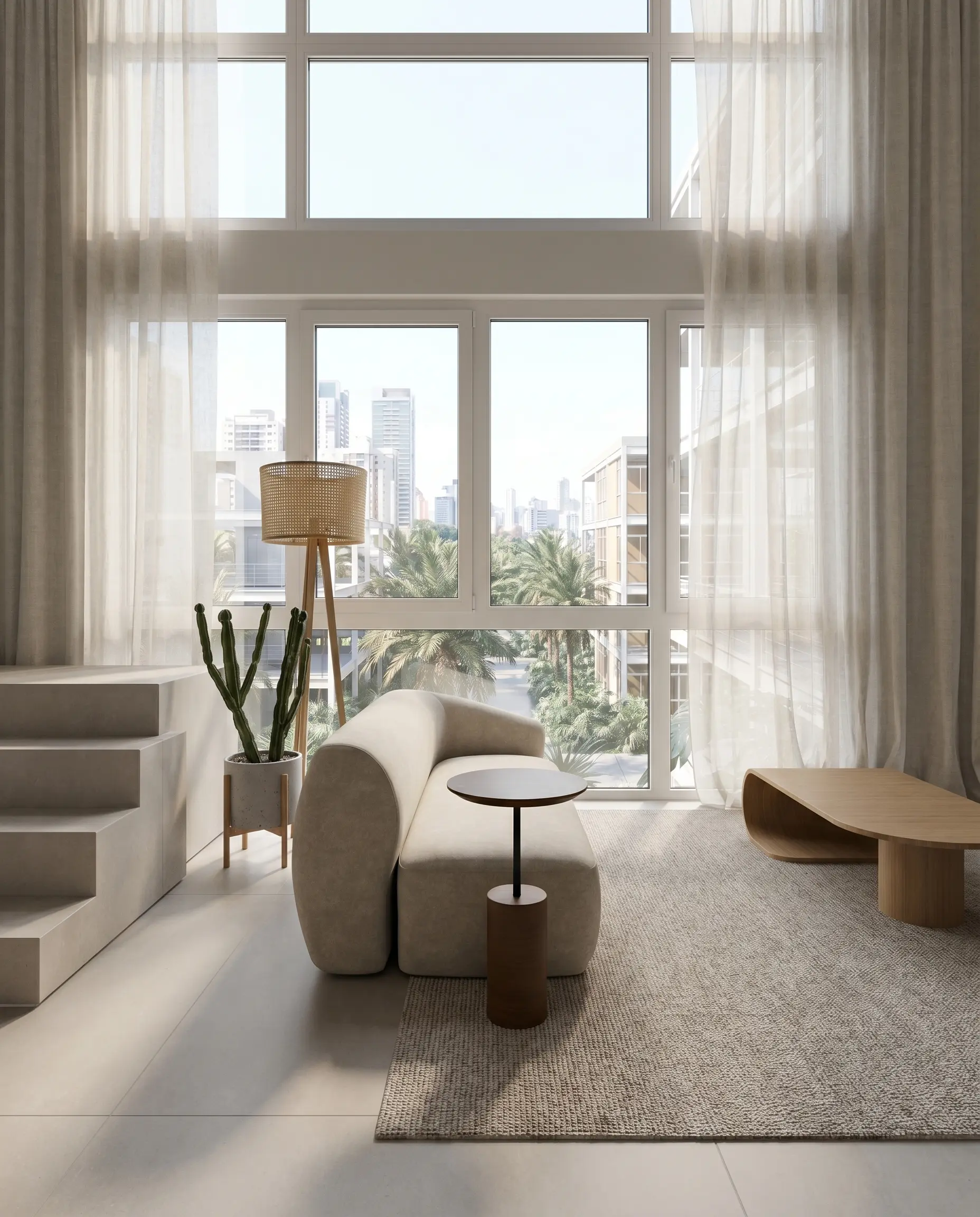
This is a disclosed Maquete example, not a competitor render: the original SketchUp viewport and its generated result are shown at the same composition so you can inspect what stayed and what changed.
Maquete vs Enscape at a glance
| Maquete | Enscape | |
|---|---|---|
| Best fit | Fast AI stills and client review | Live walkthroughs and real-time review |
| Render approach | Cloud AI rendering | Real-time GPU rendering |
| Hardware | None - cloud rendered | Dedicated GPU recommended |
| Operating system | Any browser/device | Windows + Apple-silicon Mac |
| SketchUp workflow | Plugin capture + guided brief | LiveSync + scene setup |
| Still render speed | ~30 seconds per 4K | Real time preview; export varies |
| Live walkthroughs | Pre-baked AI walkthrough videos | Interactive real-time walkthroughs |
| Client feedback | Share links + inline comments | Export/viewer workflow |
| Entry price | 7-day Pro trial; paid from $9/mo | $47.90/mo billed annually |
Methodology
We compare architectural workflow, model fidelity, setup time, output quality, collaboration, pricing model, and whether the tool is built for architects rather than general image generation.
Last checked
Updated 26 September 2026. Competitor pricing, free-plan limits, and product names can change, so check the current vendor site before making a purchasing decision.
Sources checked
Frequently asked questions
Is Maquete an Enscape alternative?
Yes, for fast photorealistic stills, SketchUp AI rendering, and async client review. Enscape is still stronger for live interactive walkthroughs and real-time meetings. Many studios can use both: Enscape for live design review, Maquete for quick client-ready stills.
Can AI rendering match Enscape quality and speed?
For still images, AI rendering can match or beat Enscape's perceived realism because it handles lighting, material nuance, and atmosphere directly from the brief. For live navigation speed, Enscape wins because it is real-time. The right choice depends on whether you need a still image or a live walkthrough.
Does Maquete work on Mac instead of Enscape?
Yes. Maquete is browser-based and cloud rendered, so it works on Mac, Windows, iPad, and basic laptops. Enscape also supports Mac, but its current requirements specify Apple silicon; Intel Macs are not supported.
Which is better for SketchUp renders?
Choose Enscape if you need to walk through the SketchUp model live. Choose Maquete if you need fast client-ready stills, 4K output, less setup, and shareable galleries with feedback.
Is there a free Enscape alternative?
Maquete starts with a 7-day Pro trial so you can test professional 4K AI rendering before paying. It is not a forever-free Enscape clone; it is a lower-cost AI rendering workflow for architects who mostly need stills and client review.
Fast 4K AI renders from SketchUp.
No RTX workstation. No scene dressing. Start with a 7-day Pro trial.
Start free trial