Guided Render
Set materials, lighting, and surroundings step by step for an interior or exterior image.
Updated
On this page
Before you start
Prepare one clear model image from the camera angle you want to present. The image defines the visible architecture.
Step by step
-
Choose Interior or Exterior, upload the image, and let Maquete analyse the visible surfaces.
-
Review the detected materials. Describe the finish, select a colour, upload a reference, or use your material library.
-
Choose the time of day and whether artificial lights are on. Explain window views or exterior surroundings; add relevant photographs if available.
-
Review inspiration references, image shape, resolution, and the displayed cost. Generate, compare with your model, and save the result.
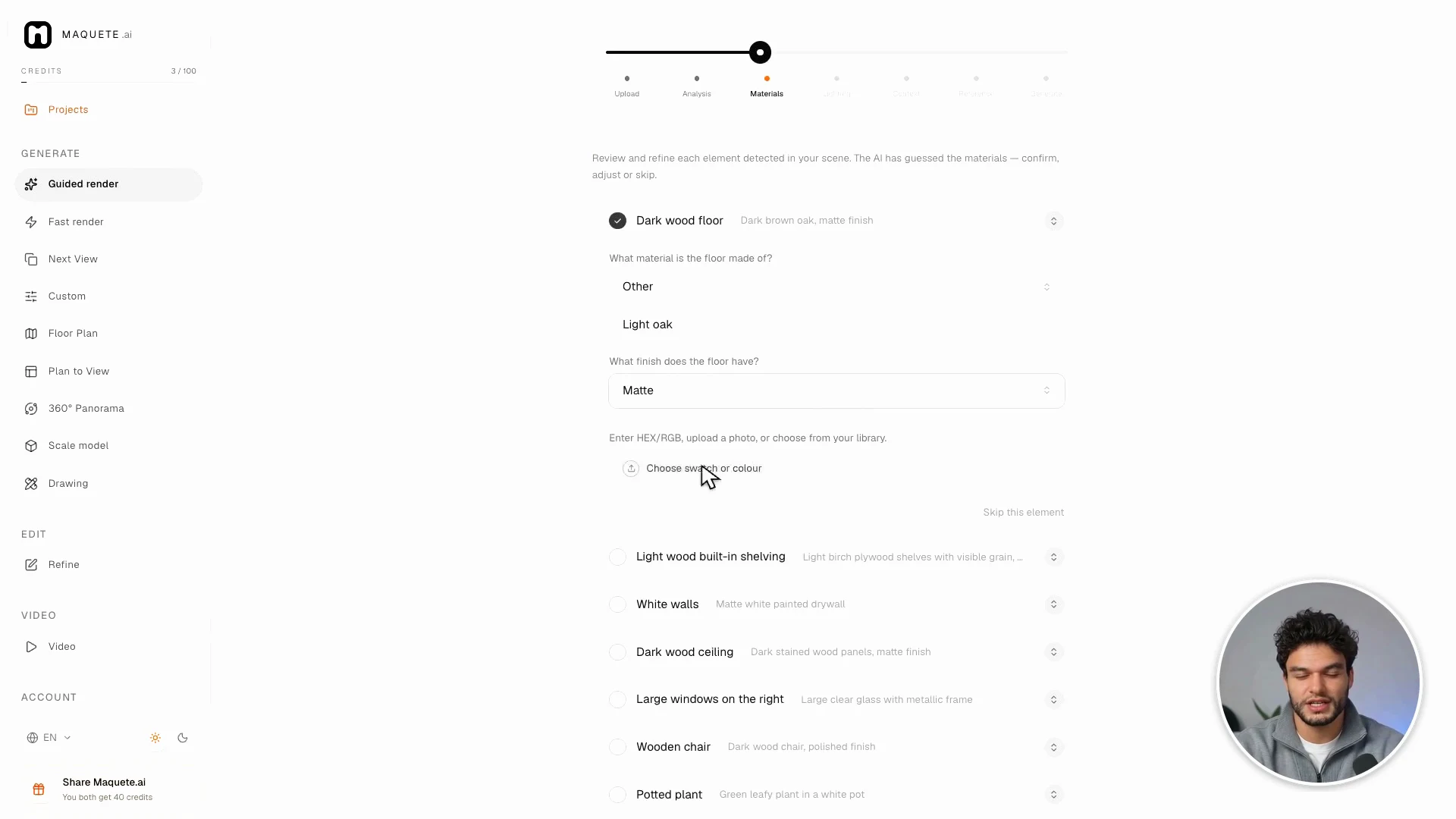
Settings that matter
Be specific about important surfaces: “light oak, matte finish” is more useful than “nice wood.” Explain whether inspiration should guide the atmosphere, lighting, or palette.